Shopify Collections: Manual vs Automated, Tags, Structure

Shopify collections group products into pages customers can browse, such as “Men’s shirts”, “Under $50” or “Holiday gifts”. A manual collection holds the products you pick; an automated (smart) collection fills itself from conditions such as a tag, product type, category or price. In our view, automated collections built on a consistent tagging scheme should do most of the work, with manual collections only where you curate by hand. Shopify is also rolling out a new collections model that combines both approaches.
The rules come from Shopify’s Help Center pages on collections, smart collections, product categories and product tags, read on October 23, 2026. Collections need the Basic plan or higher; Starter doesn’t include them.
Manual vs automated
| Manual collection | Automated (smart) collection | |
|---|---|---|
| How products get in | You pick them | They match conditions you set |
| Conditions | None | Up to 60, matching all or any of them |
| Upkeep | Add and remove products by hand | New products join when they match |
| Best for | Editor’s picks, small curated sets | Categories, price bands, seasons, “in stock” pages |
A new collections model is replacing the legacy manual and smart collections. Where it’s live in your admin, your collections were converted automatically, and one collection can combine sources: inclusion conditions, products or variants you add by hand, products from other collections, and exclusion conditions. Shopify’s example is an organic coffee collection that takes products tagged organic under $50 plus products with a materials metafield of ceramic over $30. Where the new model isn’t live yet, the manual and smart types still work.
Categories, types and tags
Three product fields feed collections, and each has its own job:
| Field | What it is | What it’s for |
|---|---|---|
| Product category | A category from Shopify’s Standard Product Taxonomy, such as Apparel & Accessories > Clothing > Clothing Tops > Shirts |
Category metafields (size, fabric, color), channels such as Google and Facebook, and the tax rate with Shopify Tax |
| Product type | Your own label for the kind of product | A simple collection condition and admin filter |
| Tags | Free labels, up to 250 per product | Flexible collection conditions: season, material, campaign |
Shopify asks for every product to have a category from the taxonomy; it unlocks category metafields and helps channels that need a standard type. When tags carry the collection logic, Shopify’s tag guidelines matter: use only ordinary letters, numbers and hyphens, keep tags short (16 characters is often enough), and make each tag’s purpose clear. Special characters are ignored or treated as the same, so a condition Product tag is equal to red-new also catches red_new, red+new and red&new.
For filtering on collection pages, Shopify suggests storefront filters, which help customers find products quickly and accurately.
A catalog structure that scales
A structure we’d use for a store with around 200 products, selling home textiles:
- Top-level collections by category, automated on product type: Bedding, Towels, Table linen, Throws.
- Cross-cutting collections, automated on tags:
linen,organic-cotton,kids, and a price band such as “Under $50” on price. - Seasonal collections on a season tag, kept at a year-free URL so they rank again next year; see SEO for seasonal products.
- One or two manual collections for curation: “Our favorites”, “Gift ideas”.
- The menu built from the top-level collections, with cross-cutting ones as sub-menus or homepage sections.
Write a tag list down before tagging, with one meaning per tag, and add the in-stock condition (Inventory stock is greater than 0, with all conditions required) where a collection should hide sold-out products. A collection page also needs a description of its own; the product page side is covered in Shopify product page.
Tag many products at once
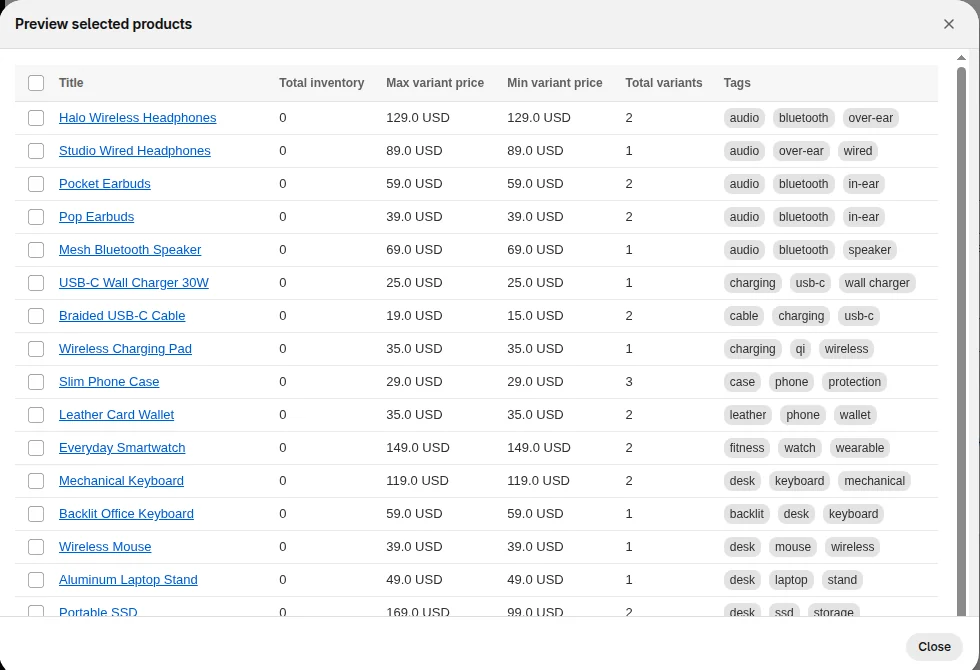
Shopify’s bulk actions add or remove tags on a selection of products, and our Bulk Product Edit app adds or removes tags on all products a filter selects, with a preview first; edit tags in Shopify has the steps. The inventory and catalog hub has the rest of our catalog guides.
FAQ
What’s the difference between manual and automated collections in Shopify? A manual collection holds products you choose. An automated collection includes products that match up to 60 conditions, such as tags, type or price, and updates as products change.
Should I use tags or product types for collections? Use product type for the main category of each product and tags for everything that cuts across categories, such as material, season or campaign. Both work as collection conditions.
How many tags can a Shopify product have? A product can have up to 250 tags. Shopify recommends short tags with only letters, numbers and hyphens.
Can I create collections on the Starter plan? The Starter plan doesn’t support collections. You need the Basic plan or higher.