How to Price Products on Shopify: Cost, Margin, Markup

To price products on Shopify, work backward from cost: record the cost per item on every variant, decide the gross margin you need, and set the price as cost divided by one minus that margin. Markup and margin are different numbers for the same sale, and a price set with a 40% markup by someone who wanted a 40% margin keeps less profit than planned.
Shopify’s own method, five steps from costs to monitoring, is on its Help Center page Determine pricing; the Cost per item steps and the margin formula are from the profit reports page. Both were read on October 23, 2026.
Enter cost per item first
Without a cost, Shopify cannot tell you what you earn. Profit reports include only products and variants that had a cost recorded at the time they sold, so orders from before you entered it stay out.
- In the admin, open Products and click a product.
- In the Price section, click Cost per item.
- Enter the amount in Cost and click Save.
If a product has variants, edit each variant; there is no single cost for the product. Enter what you paid the manufacturer, excluding taxes, shipping and other costs, or your labor and material costs if you make it. Shipping, payment fees and ad spend stay out of the field, so your price has to cover them on top.
Margin vs markup
Both describe profit, from different bases.
- Markup = (price − cost) ÷ cost. It is what you add to your cost.
- Gross margin = (price − cost) ÷ price. It is the share of the sale you keep. This is the formula Shopify’s reports use: net sales of $50 and cost of $30 give a gross margin of 40%.
- Price for a target margin = cost ÷ (1 − margin).
Take a product that costs $12.00:
| Goal | Price | Gross profit | Markup | Gross margin |
|---|---|---|---|---|
| 40% markup | $16.80 | $4.80 | 40% | 28.6% |
| 40% margin | $20.00 | $8.00 | 66.7% | 40% |
| 50% margin | $24.00 | $12.00 | 100% | 50% |
At a 40% markup you keep 28.6 cents of each dollar of sales. Shopify’s cost-plus example shows the same gap: a T-shirt with $45 CAD of costs and a 35% markup sells for $60.75 CAD, a gross margin of about 26%.
Price from the full cost
The Cost per item field holds only what you paid for the product. Shopify’s own cost list for pricing is longer: shipping in and out, marketing, your Shopify subscription, payment processing and any third-party transaction fees. In an example with illustrative numbers, the $12.00 product also carries $2.50 of outbound shipping you don’t charge for, $0.90 of payment fees and $1.60 of ad spend per order: a full cost of $17.00. Priced at $20.00 for a “40% margin”, it leaves $3.00, which is 15% of the sale.
Two ways to handle it:
- Put the extra costs into the formula: $17.00 ÷ (1 − 0.40) = $28.33. That price keeps 40% after shipping, fees and ads.
- Keep the price from Cost per item and set a higher target margin that leaves room for the rest. If the other costs run about $5 per order, a 60% target on the $12 cost gives $30.00 and leaves $13.00 after them, a 43% margin on the full cost.
Pick one rule and write it down, so every product in the catalog is priced the same way.
Five steps to a price
Shopify’s method is a sequence you can apply to one product or a whole line:
- Determine your costs: materials, labor, shipping in and out, marketing, and platform fees such as your Shopify subscription and payment processing.
- Research your market: what similar products charge, and how the pricier and cheaper ones are marketed. Read their reviews to see how the price is perceived.
- Determine your value proposition: what you do that others do not, such as design, materials or sourcing. Shopify’s example is a toy maker who finds similar toys at about $5 CAD, sees that competitors use plastic where his toy uses metal, and prices above the average while marketing the durability. A low price can itself be the value proposition if you can sell for less than competitors.
- Set a price with cost-plus, value-based or competitor-based pricing. Whichever you choose, keep similar products priced consistently so customers can follow your logic.
- Monitor and adjust: review prices on a schedule. Shopify suggests reviewing costs quarterly and adjusting for supplier changes or inflation.
Cost-plus gives you the floor; check it against steps 2 and 3 before you publish the price. For a new product, Shopify describes two launch patterns: price skimming (start high, say a smartwatch at $200 CAD, and lower the price as competitors arrive) and penetration pricing (start below competitors, such as a water bottle $15 CAD under them, to win share).
If you sell in several countries with Shopify Markets, prices can be adjusted per market for exchange rates and local taxes, and Shopify points to the Products and pricing dashboard for cost breakdowns per market. Check the margin per market there, because a price that works at home can fall under the floor after conversion and rounding.
Reprice when costs change
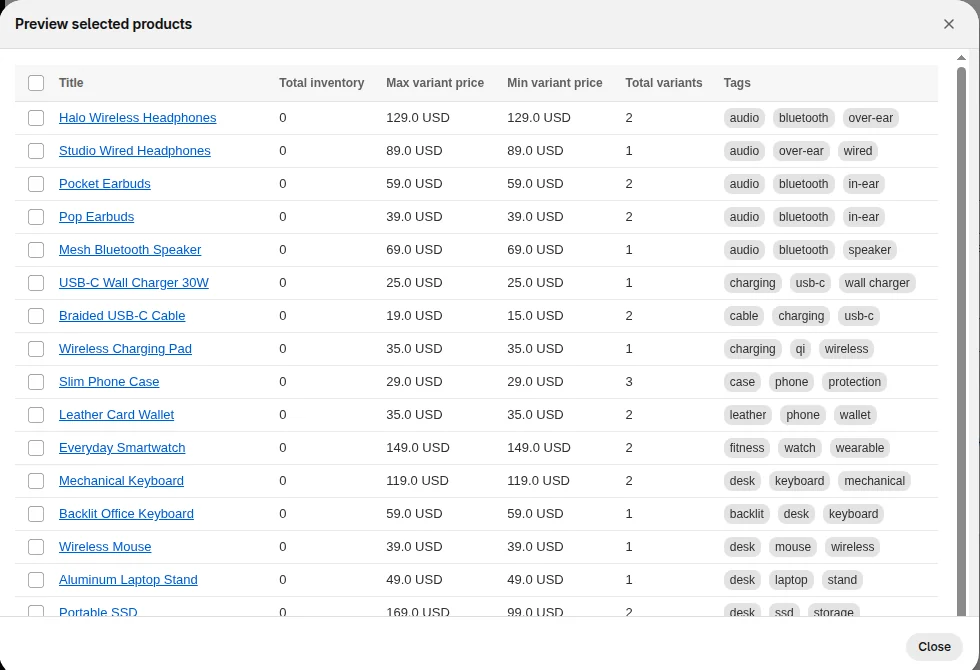
When a supplier raises prices, the margin falls on every product from that supplier, and the fast fix is to change many prices together. Shopify supports bulk edits and CSV imports for that. For a filtered set, our Bulk Product Edit sets prices from the cost field, or from cost plus shipping, with rounding such as .99; the how-to is in bulk edit prices on Shopify. After any change, open Analytics > Reports, filter the Category to Profit Margin, and check Gross profit by product to see where margin sits now. We cover that report in Shopify profit reports.
Related reading: pricing psychology once the floor is set, and dynamic pricing apps if you want prices to move on their own. Related guides on prices and promotions are in the pricing and sales hub.
FAQ
How do I calculate the price of a product on Shopify? Divide your cost by one minus the margin you want. A $12 cost and a 40% margin gives $12 ÷ 0.6 = $20.
Where do I enter cost per item in Shopify? In the Price section of the product page, click Cost per item and fill in Cost. For products with variants, do it for each variant.
Does Shopify show my profit margin? Shopify shows profit margin in Analytics > Reports under the Profit Margin category, for products and variants that had a cost recorded when they were sold.
What is the difference between markup and margin? Markup is profit as a share of cost, and margin is profit as a share of the price. The same sale always has a larger markup than margin, so a 50% markup is only a 33.3% margin.