Shopify Email Funnel: Map Automations to Each Stage

A Shopify email funnel is the sequence of emails that moves a subscriber from signing up to a first order and then to repeat orders. In Shopify you build it from Shopify Messaging’s ready-made automations, one per stage, and you measure it with the Email conversion funnel in an email campaign’s report: opens, store visits, add-to-carts and orders. Comparing the steps shows which stage loses people, so you can fix that email first.
Templates and report metrics come from Shopify’s Help Center pages on creating marketing automations and Shopify Messaging email analytics (read October 23, 2026). The stage map is ours.
The five stages and the automation for each
| Stage | Who is in it | Shopify Messaging template | What the email does | What to watch |
|---|---|---|---|---|
| 1. Signup | New subscribers from a form on your store | Welcome new subscribers with a discount series (discount, two brand emails, a reminder) | Gives the first-order reason and introduces the brand | Orders from the series |
| 2. Consideration | Visitors who browsed, filled a cart or started checkout | Convert abandoned product browse, Recover abandoned cart, Recover abandoned checkout | Brings them back to what they looked at | Added to cart and orders |
| 3. First purchase | New customers | Thank customers after they purchase, Upsell customers after their first purchase | Thanks, sets expectations, suggests the next item | Second-order rate |
| 4. Lapsing | Customers past your normal reorder gap | Win back customers (Customer joined segment trigger) | Reminds them, with or without an offer | Orders from returning customers |
| 5. Loyal | Repeat, high-spend customers | Welcome VIP customers (default: third order and $1,000 USD, or tag VIP), Celebrate customer birthday |
Recognition and early access | Orders and unsubscribes |
The signup stage needs a source of subscribers first. A discount popup is one such source. Our Pop Up Discount app trades a code for an email, adds the visitor as a Shopify customer and sends the code through Shopify Flow. Shopify’s welcome automation itself starts when someone subscribes through a form on your online store, such as Shopify Forms, so check which signups feed it. The welcome email series guide covers the content of stage 1.
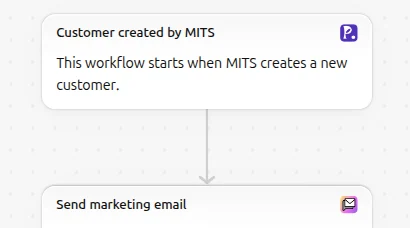
Not every stage needs an email on day one. A new store with few repeat customers gets nothing from a VIP automation yet; turn stages on as customers reach them.
Read the email conversion funnel
Open Apps > Messaging, click an email campaign, and look at the report. Shopify documents the funnel for campaigns; automations have their own metrics page. The Email conversion funnel has four steps:
| Step | Meaning |
|---|---|
| Opens | Unique subscribers who loaded Shopify’s tracking pixel, usually by opening the email |
| Unique visitors | Unique subscribers who visited your store after viewing the email |
| Added to cart | Sessions from the email where something was added to a cart |
| Orders | Sessions from the email where an order was placed |
Shopify marks these as estimates. Email previews and security scanners can load the tracking pixel without anyone opening the email, and subscribers who block images may open it without being counted. Your open-tracking setting also changes the number: Optimize open tracking (default), Track all email opens, Ask for consent (opens counted for subscribers who opt in, combined with clicks) or Do not track.
Use Shopify’s numbers rather than an outside analytics tool for these emails where you can. Shopify’s report uses store data, while tools such as Google Analytics count link clicks, so the two might not match. Orders in the report use the last non-direct click attribution model by default.
For benchmarks, Shopify’s Help Center says a good open rate ranges from 20% to 22%. Treat it as a rough guide, given how opens are estimated.
Fix the stage that leaks
Compare each step with the one before it:
- Few opens: look at the subject line, the sender name and the send time, and at how the addresses were collected. Test a clearer subject first.
- Opens but few visitors: the email gives no clear reason to click. Try one button, a product image and a single offer, and compare with your longer emails.
- Visitors but few carts: the landing page does not match the email. Send people to the product or collection you showed, not the homepage.
- Carts but few orders: look at checkout: shipping costs revealed late, payment options, or a discount code that does not apply. The abandoned checkout automation (stage 2) catches some of these.
Change one thing at a time and compare the next sends; with small lists, wait until enough people have received each version before drawing a conclusion. For the wider set of numbers worth tracking, see Shopify email metrics.
Start small
For a new store, we would start with three automations: the welcome series (stage 1), recover abandoned checkout (stage 2) and thank customers after they purchase (stage 3). Add win-back once you have customers past their reorder gap, and VIP once you have repeat buyers. The full list of templates, with which ones count toward your free monthly emails, is in Shopify email automation. More email guides are in the Shopify email marketing hub.
FAQ
What is a good open rate in Shopify Messaging? Shopify’s Help Center gives 20% to 22% as a good open rate. Opens are estimates, so compare your own emails over time rather than chasing the benchmark.
Why are my opens much higher than my clicks? Email previews and security scanners can load Shopify’s tracking pixel without a real open, which inflates opens. Clicks and store visits are firmer signals.
Do I need an app to build an email funnel on Shopify? Shopify Messaging’s templates cover signup, browse, cart and checkout recovery, post-purchase, win-back, VIP and birthday stages. An app is useful if you need branching logic or channels beyond what Messaging offers.