Shopify Hacks: 15 Built-in Tricks New Store Owners Miss

The most useful Shopify hacks are built-in settings and tools that new store owners skip, from a domain name you can change only once to a funnel report that shows where you lose buyers. The 15 below are grouped by setup, daily work and selling, each with where to find it in the admin.
Every hack below is checked against Shopify’s Help Center (read on October 23, 2026): the new store checklist, Sidekick, Shopify Inbox, Flow, the bulk editor and reports, read on October 23, 2026.
Setup hacks
- Choose your myshopify.com name carefully. Your
myshopify.comdomain can be changed only once. Once you connect your own domain, customers mostly see that one, but the myshopify name stays with the store, so pick one you can live with. - Authenticate your store email. Gmail and Yahoo require sender authentication (SPF and DKIM records) for the address your store sends from. Without it, order confirmations can land in spam. Set it up with your domain provider when you connect a custom email domain.
- Start from Shopify’s policy templates. Refund, privacy and terms of service templates exist in English, and some in French, Italian and Spanish. Edit them to match what you actually do. You can also ask Sidekick where to add a policy and what it should cover, for example “Where do I add a refund policy in Shopify, and what sections should it cover for a clothing store?”
- Work on a theme copy, not the live theme. Keep a copy of your published theme in Draft themes to test changes, preview it, and share a preview link before you publish. You can switch back to the old theme at any time, because a published-over theme stays in your themes list.
- Pick the plan by staff, not only by price. Basic includes no additional staff accounts, Grow 5, Advanced 15 and Plus unlimited. If a helper needs access, that decides the plan; sharing your owner login is not an option Shopify supports.
Daily work hacks
- Save your Sidekick prompts as skills. Sidekick, the assistant in the admin, can edit products, analyze data and draft content. When you repeat a request (“summarize yesterday’s orders”), save it as a skill and rerun it with a shortcut. Long tasks continue in the background after you close the chat.
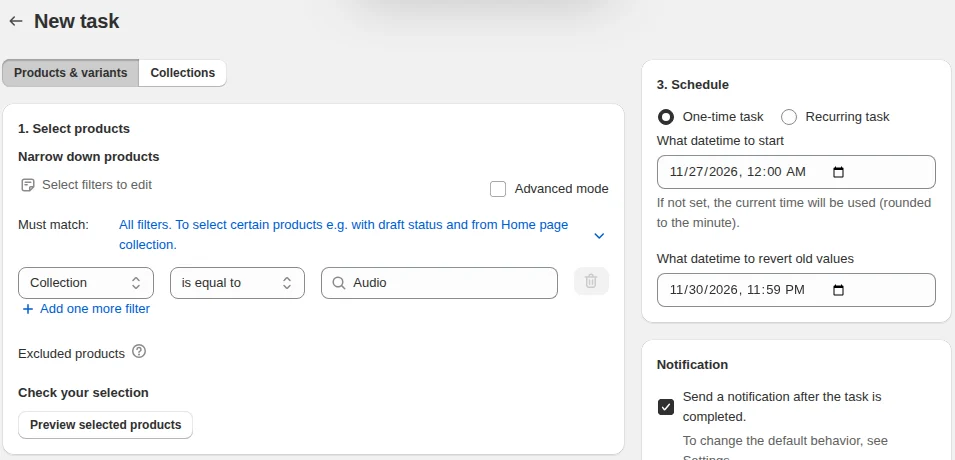
- Use the bulk editor for small batch fixes. Select products under Products, click Bulk edit, then add the columns you need with Columns: price, compare-at price, SKU, tags and more. It is the fastest way to fix twenty prices at once. For rule-based changes across thousands of products, such as “raise all prices from this vendor by 8% and round to .99”, our app Bulk Product Edit applies one filtered task with a preview, and on paid plans schedules it and reverts it later.
- Create quick replies in Shopify Inbox. In Shopify Inbox go to Settings > Quick replies > Create quick reply, give each answer a one-word shortcut (“returns”, “tracking”), and typing the shortcut fills in the full message.
- Start Flow from a template. Shopify Flow has hundreds of workflow templates, searchable in the app: tag customers by lifetime spend, get notified about unusually large orders, send a handwritten-note task after a second order. Starting from a template is faster than building from a blank workflow, and you see how Shopify structures the logic.
- Check order risk before fulfilling. Orders with a medium or high fraud risk show a warning next to the order number. Open the order’s Order risk section before you ship. Our guide to Shopify fraud prevention walks through the review.
Selling hacks
- Open the Conversion rate breakdown report. Under Analytics > Reports, filter to Behavior and open Conversion rate breakdown. It shows how many sessions add to cart, reach checkout and buy, so you know which step to work on. Our guide to the Shopify sales funnel explains how to read it.
- Watch Live View on launch day. Analytics > Live View shows visitors right now, orders and cart activity on a map in real time. Leave it open while a launch email goes out.
- Boost products in search. The free Search & Discovery app adds product boosts, synonym groups and filters to your store search, so “sofa” can also find “couch” and a new collection can rank first.
- Install Shopify’s free apps before paid ones. Shopify Forms, Shopify Messaging (10,000 emails a month free), Shopify Inbox, Flow and Translate & Adapt cover signups, email, chat, automation and translation at no cost.
- Test changes with Rollouts. Rollouts, from Shopify’s Editions, publishes a theme change at a scheduled time or as an A/B test, so you can compare the new product page against the old one before keeping it.
More automation ideas are in our guide to Shopify automation, and a plan for the first months, like our other running a store guides, is in growth strategies for new Shopify stores.
“Hacks” to avoid
Some tactics sold as Shopify hacks cost more than they bring:
- Buying an email list. Shopify’s Help Center warns that mailing bought addresses can hurt your reputation and email deliverability and get you flagged as spam. Only email customers who opted in.
- Fake reviews. Shop screens reviews against its product review policies, and in the US the FTC’s rule on consumer reviews (16 CFR Part 465) bans fake ones.
- Fake countdown timers that reset on every visit. A timer should end when the offer really ends.
Frequently asked questions
What are the best Shopify hacks for beginners? The ones that prevent problems later: choose the myshopify.com name carefully because it changes only once, authenticate your store email with SPF and DKIM, edit a theme copy instead of the live theme, and read the Conversion rate breakdown report before buying traffic.
Is there a Shopify cheat sheet? Shopify’s Help Center has a new store checklist that covers setup from the domain to policies, taxes and launch. The 15 items above add the daily tools, such as Sidekick skills, quick replies and Flow templates.
How do I get my first sale faster on Shopify? Make sure the basics are live first: real policies, shipping rates, contact details and a working checkout tested with a real order. Then send traffic to your best product and watch the funnel report to see where visitors stop.