Shopify Flow for Marketing: Workflows That Tag and Follow Up

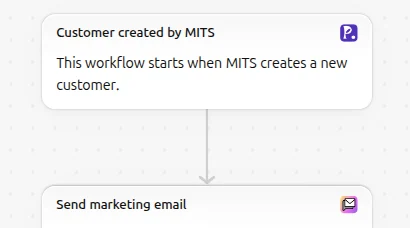
Shopify Flow does the marketing jobs that Shopify Messaging’s email automations cannot: it tags customers and orders by what they do, sorts customers into tiers, notifies your team, and passes events between apps. The useful pattern is “Flow labels, Messaging sends”: a workflow adds a tag such as vip-gold when a customer crosses a spending level, a customer segment picks up the tag, and an email campaign or automation goes to that segment. Flow is free on the Basic, Grow, Advanced and Plus plans.
Marketing templates worth turning on
Shopify’s Flow template library has hundreds of workflows, and you can search it by describing what you want to automate. These are the ones from Shopify’s examples page that serve marketing, grouped by what they do:
| Template | Category in the library | What it gives marketing |
|---|---|---|
| Organize customers by lifetime spend tiers | Customer | Tags customers by how much they have spent, for VIP offers and segments |
| Tag customers eligible for educational discount based on email address | Customer | Tags students or teachers by email domain, for a discount segment |
| Send handwritten note after customer places second order | Customer | A task for your team at the moment a buyer becomes a repeat buyer |
| Email a customer when a wishlist item is on sale | Customer | A sale alert tied to what the customer saved |
| Tag orders where the first visit landing page includes a certain URL path | Buyer experience | Marks orders that started on a campaign page or a blog post |
| Welcome new subscribers with a discount email | Promotion | A welcome offer for new subscribers |
| Upsell customers after their first purchase | Promotion | A follow-up after the first order |
| Get notified when specific discount code is used | Loyalty | An alert when an influencer’s or partner’s code is used |
| Get notified when demand increases for out of stock products | Inventory and merch | A signal to restock and email the waiting customers |
The landing page tag answers a question the reports answer only in totals: which orders started on your blog or on a particular campaign page. Tag them, and you can filter orders and build a segment of customers who came through content. The discount code alert costs nothing and tells your team the moment a creator’s code is used.
Some workflows in this list overlap with Shopify Messaging, such as welcome and upsell emails. Since March 24, 2026, email automations live in Shopify Messaging, and automations that involve another app’s marketing activities live in Flow. Use Messaging for the emails, and Flow when the logic involves tags, apps or anything that is not a message.
Build one: tag customers by lifetime spend
The Organize customers by lifetime spend tiers template is a good base for a VIP program. To set it up:
- Install Shopify Flow from the Shopify App Store if you haven’t, then open it under Apps > Flow.
- Search the template library for “lifetime spend” and open the template.
- Set your tiers. Decide two or three spending levels from your own data, for example the top 10% and top 25% of customers by amount spent. In the workflow’s conditions, set the thresholds and the tag each tier gets, such as
vip-goldandvip-silver. - Check what removes a tag. If a customer moves up a tier, the workflow should remove the lower tag, or your segments will overlap. Read the template’s actions before you turn it on.
- Turn the workflow on. Flow reacts to store events after you turn a workflow on, so check how the template treats customers who passed a threshold before that day.
- Create the segments. On the Customers page, build a segment for each tag with the segment editor, and save it.
- Use the segments. Send a Shopify Messaging campaign to
vip-goldwith early access to the next sale, or a thank-you with a gift card.
Test with a test customer and a test order before relying on it, and check the workflow’s run history in Flow for errors. Shopify’s library also has templates that email you when a workflow run fails.
Hand off to Messaging and other apps
Flow sits between your store’s events and the tools that act on them:
- To Shopify Messaging, through tags and segments. Flow writes the tag; the segment and the email live in Messaging. Our guide to Shopify email automation covers the automations themselves, and our guide to customer segments covers the segment editor.
- To and from apps. Apps can add their own Flow triggers and actions. Our app Pop Up Discount, for example, turns a popup signup into a Shopify customer and delivers the discount code through a Shopify Flow trigger, so the welcome code arrives through a workflow you can see and edit.
- To your team. Internal emails and notifications for large orders, discount use or demand for sold-out products.
If the job is about orders rather than customers, such as holding fulfillment or tagging orders by shipping method, see our guide to automating orders with Shopify Flow. For the wider picture of email apps against Shopify’s own tools, see Shopify marketing automation; the marketing and SEO hub lists the rest of our automation guides.
Shopify facts come from the Help Center pages on Shopify Flow, its workflow examples and marketing automation tools, read on October 23, 2026.
Frequently asked questions
Is Shopify Flow free? Shopify Flow is a free app on the Basic, Grow, Advanced and Plus plans, though some features are limited to certain plans.
Can Shopify Flow send marketing emails? Flow can send internal emails, and some templates send customer emails, but Shopify’s marketing emails and their automations are managed in Shopify Messaging. Use Flow to tag and segment, and Messaging to send.
How do I tag VIP customers in Shopify automatically? Install Shopify Flow, add the “Organize customers by lifetime spend tiers” template, set your spending thresholds and tags, and turn it on. Then build a customer segment for each tag.
Can I find a Flow template by describing what I want? The Flow template library search accepts a description of what you want to automate and shows matching templates.