Shopify Marketing Funnel: Stages, Tools and Metrics

A Shopify marketing funnel has four stages: people find your store, they decide to buy, they finish checkout, and they come back. Each stage has a Shopify tool that moves people through it and a report that tells you how many got through. Read the funnel from your own numbers: the stage where the most people drop out is the one to work on first, and you fix one stage at a time.
Four stages, the tool for each, and the number to watch
| Stage | What you want | Shopify tools | Number to watch | Where to find it |
|---|---|---|---|---|
| 1. Discover | Visits from the right people | Sales channels (Meta, Google, TikTok), blog, Shopify Forms for sign-ups, ads | Sessions by channel; new subscribers | Growth page: traffic sources; Analytics > Reports: Sessions by referrer |
| 2. Consider | Visitors who look at products and add to cart | Product pages, reviews, product video, collections | Share of sessions with add to cart | Online store conversion report: sessions that added to cart |
| 3. Buy | Shoppers who finish checkout | Checkout settings, accelerated checkouts, abandoned checkout recovery | Share of checkouts completed; conversion rate | Online store conversion report: reached checkout, converted |
| 4. Return | Customers who buy again | Shopify Messaging automations (welcome, first-purchase upsell, win-back), customer segments | First-time vs returning customers | Channel and campaign reports: new vs returning customers |
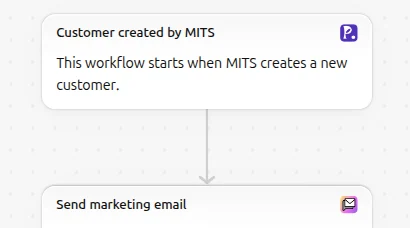
Stage 1 is where list growth belongs. A visitor who doesn’t buy today but leaves an email can still come back through stage 4. Shopify Forms can show a sign-up form, and our own app Pop Up Discount does it with a discount popup that turns the visitor into a Shopify customer and delivers the code through Shopify Flow.
Find the leak
Shopify’s Online store conversion report, reached from the traffic insights on the Growth page, counts sessions at each step: all sessions, sessions that added to cart, sessions that reached checkout, and sessions that converted. That is stages 2 and 3 of the funnel in one table. Divide each step by the one before it:
- Add-to-cart rate = sessions with add to cart / all sessions.
- Checkout rate = sessions that reached checkout / sessions with add to cart.
- Completion rate = converted sessions / sessions that reached checkout.
An example with made-up numbers for one month: 10,000 sessions, 600 add to cart (6%), 300 reach checkout (50% of carts), 180 convert (60% of checkouts). Here the biggest drop is before the cart: 94% of sessions never add anything. That points at stage 2 (product pages, prices, photos, trust) or at stage 1 bringing the wrong visitors, rather than at checkout.
Split the same report by traffic source. A channel with many sessions and almost no add-to-carts is a stage 1 problem with that channel; a channel that adds to cart but doesn’t finish checkout may have a price or shipping surprise for that audience.
For stage 4, the channel and campaign reports in Growth show first-time and returning customers. If almost every order is a first order, stage 4 is where to start, with Messaging’s win-back and first-purchase upsell automations. Our guide to Shopify marketing reports explains the reports and attribution models.
One caution when comparing months: Shopify changed how it measures sessions between 21 and September 23, 2026, and its acquisition reports note that sessions and conversion rate before and after that date are measured differently.
Fix one stage at a time
Pick the stage with the biggest drop and change one thing there:
- Stage 1, wrong visitors: tighten ad targeting or move budget to the channel whose visitors add to cart.
- Stage 2, no add to cart: better photos and video, reviews near the price, clearer sizes and shipping times on the product page.
- Stage 3, carts not finishing: check shipping costs shown late, missing payment methods, and turn on abandoned checkout recovery; our guide to Shopify abandoned cart recovery covers the emails.
- Stage 4, no repeat orders: welcome and post-purchase emails, a win-back for customers who haven’t ordered in months; our guide to the Shopify email funnel maps them.
Give each change a few weeks and compare the same rate before and after. Changing three stages at once makes it impossible to tell which change worked.
Shopify facts come from the Help Center pages on marketing performance and acquisition reports, read on October 23, 2026. More guides: marketing and SEO hub.
Frequently asked questions
What are the stages of a Shopify marketing funnel? Discover (visits), consider (product views and add to cart), buy (checkout completed) and return (repeat orders). Each has its own Shopify tools and a report that measures it.
Which Shopify report shows the funnel? The Online store conversion report shows sessions at each step: all sessions, added to cart, reached checkout and converted.
What is a good conversion rate for a Shopify store? There is no single figure: it depends on the product, price and traffic. Compare your own rates month to month and between channels; the stage with the biggest drop matters more than a benchmark.
How do I get customers to buy again? Use Shopify Messaging automations such as the welcome email, first-purchase upsell and win-back, and track first-time versus returning customers in Shopify’s channel and campaign reports.